To block distracting apps on iPhone, use five things together: a dedicated app blocker, scheduled focus sessions, a home screen that hides the worst offenders, a replacement for the habit itself, and usage tracking so you can see the change. Each one is below, in the order worth doing them.
The reason one setting is never enough: distracting apps are built around dopamine-driven feedback loops, and a limit you can dismiss loses to that loop every time. Layering two or three of these strategies is what makes the block hold.
Why Blocking Apps Actually Works
Research from the University of California found that it takes an average of 23 minutes and 15 seconds to recover focus after a single distraction. That means every time you check Instagram "for just a second," you're actually losing nearly half an hour of deep work.
App blockers work because they create a friction barrier between you and the distraction. Instead of relying on willpower alone (which is a finite resource), you set up systems that make it genuinely difficult to access time-wasting apps.
The Friction Principle
5 Proven Strategies to Block Distracting Apps
1. Use a Dedicated App Blocker
The most effective approach is using a purpose-built app blocker. Apps like RepUnlock go beyond simple timers — they require you to complete physical exercises before you can access blocked apps. This creates a powerful association: if you want screen time, you have to earn it.
Unlike Apple's built-in Screen Time (which you can bypass with a tap), dedicated blockers like RepUnlock make the barrier meaningful and rewarding. You're not just restricting yourself — you're building a healthy habit. If you want to compare the options first, we ranked them on the only test that matters in iPhone app blockers ranked by bypass resistance.
2. Schedule Focus Mode Sessions
Don't try to block apps 24/7 — it's not sustainable. Instead, schedule focused blocks during your most productive hours. Most people find that 2-3 hours of distraction-free focus is more productive than 8 hours of fragmented attention.
Try the 90-minute focus block: block all social media for 90 minutes, then take a 15-minute break. Repeat 2-3 times per day. This aligns with your brain's natural ultradian rhythms. Apple's own tools can carry part of this — see how to limit screen time on iPhone for the exact Downtime and App Limits setup.
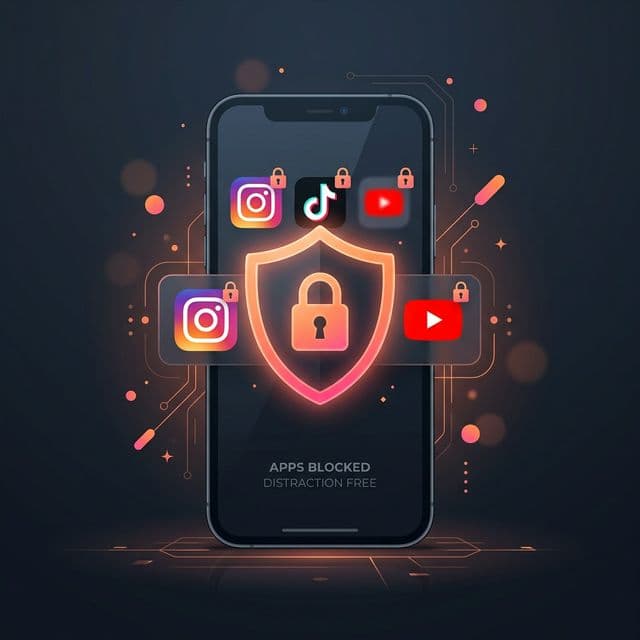
3. Remove Apps from Your Home Screen
You don't always need an app blocker. Sometimes, simply moving distracting apps to a folder on the last page of your home screen creates enough friction. Out of sight, out of mind.
- Move Instagram, TikTok, YouTube, Twitter to a "Time Wasters" folder
- Keep only productivity apps on your home screen
- Turn off all non-essential notifications
- Use grayscale mode to make your phone less visually appealing
4. Replace the Habit Loop
Every habit has three parts: cue → routine → reward. When you feel bored (cue), you open Instagram (routine) for entertainment (reward). To break this loop, keep the cue and reward but change the routine.
With RepUnlock, the loop becomes: feel bored (cue) → do 20 push-ups (routine) → unlock your apps + feel accomplished (reward). You're still getting your screen time, but you're earning it through exercise. That substitution is the whole mechanism behind breaking phone addiction — the cue never goes away, so something has to sit where the feed used to.
Pro Tip: Stack Your Habits
5. Track Your Progress
What gets measured gets managed. Use your phone's built-in screen time tracker or an app like RepUnlock to monitor your daily usage. Set a goal to reduce your screen time by 30 minutes each week until you reach a healthy target.
Most people are shocked when they first see their actual screen time numbers. The average person picks up their phone 186 times per day — roughly once every seven waking minutes.
Blocking is only half of it — something has to be worth unlocking. Volt holds the apps on this list, and one rep hands back one minute of them.
Get RepUnlockWhat Apps Should You Block?
Not all apps are equally distracting. Research shows these are the biggest time sinks:
- Social media — Instagram, TikTok, Twitter/X, Facebook, Snapchat
- Video streaming — YouTube, Netflix, Twitch
- Messaging — WhatsApp, Discord, Telegram (during focus hours)
- News & browsing — Reddit, news apps, Safari/Chrome
- Games — any mobile games that consume time
The Bottom Line
Blocking distracting apps isn't about punishing yourself — it's about creating an environment where focus is the default. By combining app blockers with smart habits and progress tracking, you spend less time on the apps you never chose to open — and feel better about the time you do spend on your phone.
Ready to take control? Download RepUnlock and start earning your screen time through exercise. It's free, and you might just build a workout habit in the process.