If you want an app blocker you can't bypass on iPhone, judge every option on one thing: what it costs you to get past the block. A tap costs nothing. A wait costs a few seconds. Reps cost something you cannot fake, which is why they are the only exit that survives a bad evening.
Below are the five iPhone blockers worth considering in 2026, each with a plain verdict on how easily you get around it — because that is the criterion every roundup skips and every user ends up testing anyway. If it is specifically a rep-counting app you are weighing, the Pushscroll alternative comparison sits alongside this list.
Who wrote this, and how it was ranked
Quick Comparison: Top App Blockers for iPhone
App Store ratings and review counts below were read from the US App Store on 23 September 2026. Subscription prices change often and vary by region, so each app's current price is best checked on its own listing rather than trusted from a roundup.
1. RepUnlock — Hardest to Bypass
RepUnlock takes a completely unique approach to app blocking: instead of just setting timers or limits, it requires you to complete real physical exercises to unlock your apps. You choose which apps to block, and when you want to use them, the front camera counts your reps in real time, on-device. The mechanic is laid out in full on the RepUnlock app blocker page.
Bypass test: there is no skip button and no timer to wait out. The block lifts when the reps are counted, so the only way past it is through it.
Price: free to download and free to use with ads, with an optional Premium subscription. We list our own terms here because a roundup that prices every competitor and stays quiet about itself is not a comparison.
The honest caveat: RepUnlock is new. 31 App Store ratings is a rounding error next to Opal's 88,000, and a high average on a small sample tells you very little. Judge it on whether the mechanic suits you, not on a star average this thin.
Why RepUnlock Stands Out
- Meaningful friction: Unlike Screen Time's "Ignore Limit" button, you can't cheat — you have to actually do the exercises
- Dual benefit: You reduce screen time AND build a workout habit at the same time
- On-device rep counting: The front camera counts push-ups, squats, jumping jacks, high knees and lunges and validates proper form — and walking counts too, straight from step data with no camera at all
- Accountability: Streaks, badges and Happy Hour multiplier windows, plus friends you can see working out live and challenge head-to-head with stakes you agree in advance
- Premium features: Unlimited app blocking, advanced analytics, and more exercises — invite friends for premium access
Who Is RepUnlock Best For?
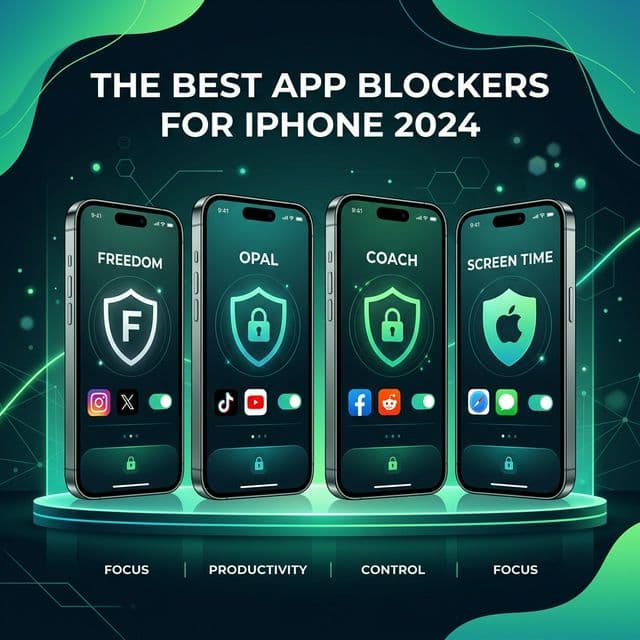
2. Apple Screen Time — Best Built-In Option
Apple's Screen Time is free and built into every iPhone. It lets you set daily time limits for individual apps or app categories, schedule downtime periods, and view detailed usage reports.
Bypass test: one tap on "Ignore Limit", and if you set the passcode yourself you also hold the key to your own lock. We pulled that apart in Apple Screen Time vs RepUnlock.
Pros
- Free and already on your phone
- App category limits (Social, Entertainment, etc.)
- Scheduled downtime for bedtime
- Parental control features
Cons
- Too easy to bypass — one tap on "Ignore Limit" defeats the purpose
- No meaningful friction or alternatives
- Basic usage reports with limited insights
- No motivational features or community
3. One Sec — Best for Mindful Pausing
One Sec takes a psychological approach: when you try to open a blocked app, it makes you wait and take a deep breath first. The idea is that this brief pause gives your rational brain time to decide if you really need to check the app.
Bypass test: you breathe, you wait, the app opens. It is friction rather than a block, which is enough for an absent-minded open and not enough for a craving. The head-to-head is in One Sec vs RepUnlock.
Pros
- Gentle, non-restrictive approach
- Effective for building awareness of automatic behavior
- Works with most apps via iOS Shortcuts
Cons
- Doesn't actually prevent you from opening the app
- Paid subscription for the full feature set
- Less effective for severe phone addiction
4. Opal — Best for Scheduled Focus
Opal lets you schedule focus sessions that block distracting apps during specific time windows. It's popular among remote workers who need structured focus time during the workday.
Bypass test: standard sessions end with a dismissal; Deep Focus is stricter but people still find their way out. Full pricing and the head-to-head are in Opal vs RepUnlock.
Pros
- Scheduled focus sessions
- Clean, premium design
- Team features for groups
Cons
- One of the pricier options; check the current subscription tiers
- Can feel restrictive without a positive reward system
- Limited exercise or gamification features
5. Freedom — Best for Cross-Device Blocking
Freedom is the go-to choice if you need to block distractions across multiple devices — iPhone, iPad, Mac, and Windows. It syncs your blockelists so you can't just switch to another device.
Bypass test: Locked Mode genuinely holds on desktop, which is its best feature. On the phone the session still ends on a clock, so "I will just use it at six" stays available. The device-by-device detail is in Freedom vs RepUnlock.
Pros
- Works across iPhone, Mac, Windows, Chrome
- Website blocking in addition to apps
- Locked mode prevents you from disabling
Cons
- Paid subscription for the full feature set
- No exercise or habit-building features
- Purely restrictive — no positive reinforcement
Every blocker here ends the same way: something has to be true before the apps come back. With RepUnlock that something is reps, and Volt is holding the apps until they are counted.
Get RepUnlockWhich App Blocker Should You Choose?
The best app blocker depends on your specific needs:
- Want to reduce screen time AND get fit? → RepUnlock
- Want something free and simple? → Apple Screen Time
- Want a gentle, mindfulness-based approach? → One Sec
- Need structured work focus? → Opal
- Need to block distractions across all devices? → Freedom
Our Recommendation
Ready to block distracting apps and earn your screen time? Download RepUnlock on the App Store.